A Cardputer is a keyboard, a tiny screen and an ESP32-S3. That turns out to be enough to play Game Boy, NES, Master System and Mega Drive games with sound and saves. Here is what runs, how to set it up, and which keys do what.
The short answer
Install Game Station from Launcher's OTA list, or copy its .bin to /apps/ on the SD card. It emulates 16 systems on the Cardputer and Cardputer ADV: Game Boy, Master System and Game Gear run full speed, NES and Mega Drive nearly all, SNES is experimental. Put uncompressed ROMs you legally own, or free homebrew, anywhere on the card. E S A D steer, K and L are the buttons, hold G0 to quit.
- Which consoles run on a Cardputer
- The screen: 240×135 vs the originals
- How to install Game Station
- Where ROMs go on the SD card
- Controls on the keyboard
- Native games and the CardputerZero
- FAQ and troubleshooting
Which consoles run on a Cardputer
Game Station, by geo-tp, is free and MIT-licensed, and squeezes 13 emulator cores into under 256 KB of RAM each, since the ADV has no PSRAM. Its Launcher listing names both the Cardputer and Cardputer ADV. Love the music of these machines? Try our chiptune guide.
The screen: 240×135 vs the originals
How to install Game Station
- Get Launcher on first, then tap a key at the splash to open it.
-
OTA, join WiFi, pick Game Station Emulators. Or copy the
.binfrom the latest release into/apps/and use SD > apps. - Install. ROMs over 1 MB need Launcher's Game Station partition scheme (CFG > Partition Change); Game Station offers to switch for you.
Where ROMs go on the SD card
Use ROMs you own, or homebrew. We do not link to ROM sites. Homebrew is the legal fun: gbdev.io runs the free Homebrew Hub archive for Game Boy. Card trouble? See our SD card guide.
Controls on the keyboard
Native games and the CardputerZero
| Game | What it is |
|---|---|
| Doom (ADV) | Doom with sound and music, reworked for the ADV keyboard. |
| Card Craft | Minecraft-like survival. |
| HAZKE | Open-universe space sim. |
| Cardputer Puzzles | All 40 Simon Tatham puzzles, for the ADV. |
All four are in Launcher's catalog; check each page for your model. The Linux-based CardputerZero (not out yet) cannot run Game Station, an ESP32 program; expect Linux emulators there instead. See Cardputer ADV vs CardputerZero, and our firmware and apps guide for everything else.
FAQ and troubleshooting
Does Game Station work on the Cardputer ADV?
Yes. Game Station's listing in Launcher's catalog names both the Cardputer and the Cardputer ADV, and version 0.8 reworked keyboard input for the ADV. If keys freeze, update to the latest release.
Can the Cardputer run SNES games?
Only experimentally. Game Station includes a SNES core, but its author notes there is not enough RAM for a full featured SNES, so expect slowdown and sound problems.
Why is my game not in the list, or why won't it start?
Game Station only reads uncompressed ROMs, so unzip them first. Games over 1 MB need Launcher's Game Station partition scheme, set in CFG under Partition Change. If it says no SD card found, reseat the card and use FAT32.
Why did my save disappear?
Saves are linked to the ROM's file name, so renaming the file loses the link. Hold G0 for one second to quit, which waits for the autosave to finish, before switching off.
Will Cardputer emulators run on the CardputerZero?
Not Game Station, because it is an ESP32 program and the CardputerZero is a Linux computer with no ESP32. Linux emulators are the expected route once the Zero ships.
Same pocket, different game
GLIDE
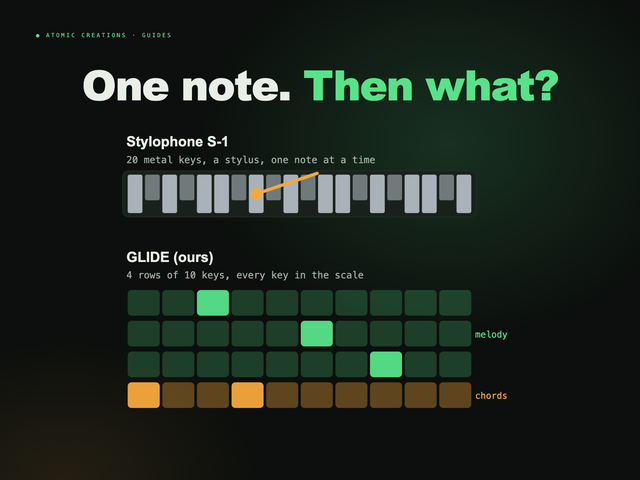
Pocket synth · Cardputer ADVFull disclosure: this one is ours. GLIDE turns the ADV's keyboard into an instrument: four rows tuned like strings, notes that slide, and scale lock so nothing sounds wrong. It is free in Launcher's OTA list, so it can sit next to Game Station (check there is room if you switched partition schemes). Or get GLIDE ready to play ($119.99, checked October 2026), and try it in your browser below.
Useful? Pass it on
← Browse all guides