Imagine texting your friends from a campsite with no signal, a festival where the network has collapsed, or a neighborhood during a power cut, using a $20 radio and no phone plan. That is Meshtastic, and it has quietly become one of the most popular hobbies in tech. Here is how it works, what it can and cannot do, and which device to start with.
The short answer
Meshtastic is free, open-source software that turns small, cheap LoRa radios into an off-grid text messaging network. Each radio relays messages for the others, so texts hop across a mesh of nodes without cell towers, WiFi or the internet. You pair a radio to the Meshtastic app on your phone, or use one with a built-in keyboard, set your region, and start messaging. No license is needed on the standard settings.
- What Meshtastic is
- How the mesh works
- How far does it reach?
- Privacy and encryption
- Do you need a license?
- Best Meshtastic devices for beginners
- Getting started in 5 steps
- Meshtastic vs MeshCore
What Meshtastic is
In its own words, Meshtastic is "an open source, off-grid, decentralized mesh network built to run on affordable, low-power devices." It started in 2020 and is entirely community driven. It runs on LoRa radios: a long-range, low-power radio technology that trades speed for distance. You will not stream video over it, but short text messages, GPS positions and sensor readings travel remarkably far on very little battery.
People use it for hiking and camping, festivals, emergency preparedness, neighborhood networks, and simply the fun of seeing how far a message can travel.
How the mesh works
Every Meshtastic radio is both a phone and a tower. When you send a message, every radio that hears it rebroadcasts it, a technique the project calls managed flooding. Radios further away get to rebroadcast first, so a message spreads outward quickly.
- Hops: each rebroadcast is a hop. The default hop limit is 3 and the maximum is 7, which stops messages bouncing around forever.
- Same settings to talk: radios must share the same region and the same modem preset (the default is LONG_FAST) to hear each other.
- Channels: like group chats. The default public channel lets you talk to anyone nearby; private channels need a shared key.
How far does it reach?
It depends almost entirely on height, antennas and what is in the way. In a town, radios at street level might reach a few kilometers. From a hilltop or a rooftop, far more. The official range tests list a ground record of 331 km (205 miles) between two well-placed radios, and a balloon record of 206 km, but those are extreme cases with perfect line of sight.
The practical rules: get the antenna high, use a better antenna than the stock one if you can, and remember that each radio in between extends the network. That is the magic of a mesh: more people means more coverage.
Never power on a LoRa radio without its antenna attached. Transmitting into nothing can damage the radio.
Privacy and encryption
Channel messages are encrypted with AES256, and direct messages use public-key encryption. But there is an important catch: the default public channel uses a key everyone knows, so anything sent there is effectively public. For private conversations, create your own channel with a new key and share it only with your group. The project itself is clear that Meshtastic is not a replacement for apps like Signal: it is great for off-grid coordination, not for secrets.
Do you need a license?
No, not on the standard settings. Meshtastic uses license-free radio bands that differ by country, which is why you must set your region before a radio will transmit. In the US that is 902 to 928 MHz; in Europe it is around 868 MHz. Licensed ham radio operators can use a special mode with higher power, but encryption is not allowed on amateur bands.
Best Meshtastic devices for beginners
The big choice is whether you want a radio that pairs with your phone (cheapest, and the app does the typing) or a standalone one with its own screen and keyboard (no phone needed).
| Device | Type | Price (Sept 2026) | Good for |
|---|---|---|---|
| Heltec WiFi LoRa 32 V3 | Bare board, pairs with phone | About $18 to $20 | The cheapest way in; needs a case and battery |
| Heltec Mesh Node T114 | Low-power board, pairs with phone | About $18 to $34 | Very long battery life |
| Seeed SenseCAP T1000-E | Credit-card tracker with GPS | $39.90 | Carry in a wallet or bag, ready to go |
| RAK WisBlock Starter Kit | Modular board, pairs with phone | About $25 to $61 | Tinkerers who want to add sensors |
| M5Stack Cardputer Mesh Kit | Standalone with keyboard and GPS | $48 | Texting with no phone at all |
| LilyGO T-Deck Plus | Standalone with keyboard, trackball, GPS | About $77 (often sold out) | A bigger screen and keyboard |
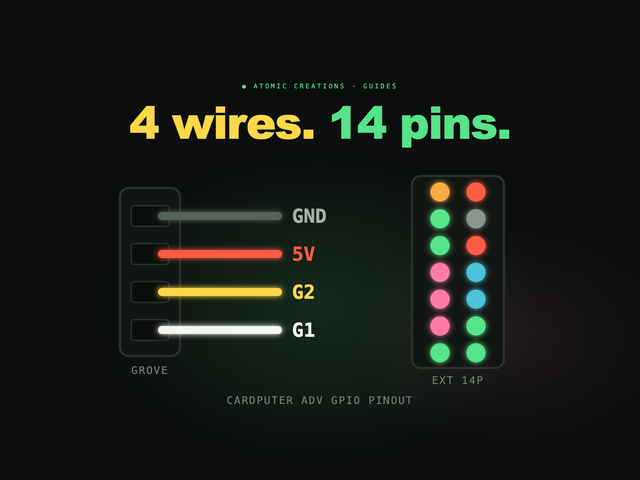
Prices are from each maker's own store. Our pick for a first standalone device is the Cardputer Mesh Kit: a Cardputer ADV with a LoRa and GPS cap that ships with Meshtastic already installed, so you can type messages on its real keyboard straight out of the box. We know the Cardputer well; it is the hardware our GLIDE synth runs on, and our guide to Cardputer ADV firmware covers what else it can do.
Getting started in 5 steps
- Get a radio from the list above, and attach the antenna before powering it on.
- Install Meshtastic if it is not preinstalled, using the official web flasher in Chrome or Edge.
- Get the app for Android or iPhone, or use the web client, and pair with the radio over Bluetooth. (Standalone devices can skip this.)
- Set your region. The radio will not transmit until you do.
- Say hello on the default channel, then make a private channel for your friends or family.
Curious who is already out there? Community-run maps like meshmap.net show nodes that share their position online. They only show part of the network, since many radios never connect to the internet at all.
Meshtastic vs MeshCore
You will see MeshCore mentioned a lot. It is a newer, separate LoRa mesh project, and the two do not talk to each other. The main design difference: in Meshtastic, every radio relays messages by default, while MeshCore splits roles, so personal devices do not repeat and dedicated repeaters carry the traffic, which can reduce congestion in busy areas. Meshtastic has the larger community and more supported hardware, which is why most beginners start there. If MeshCore is popular where you live, it is worth a look; our Cardputer firmware guide links to a MeshCore port too.
One more thing the Cardputer can do
The Cardputer ADV inside that mesh kit is a surprisingly capable little computer. It is also the hardware behind GLIDE, the pocket synth we make, which turns its keyboard into a slide instrument where no note sounds wrong. You can play it right below, in your browser.
Useful? Pass it on
← Browse all guides